
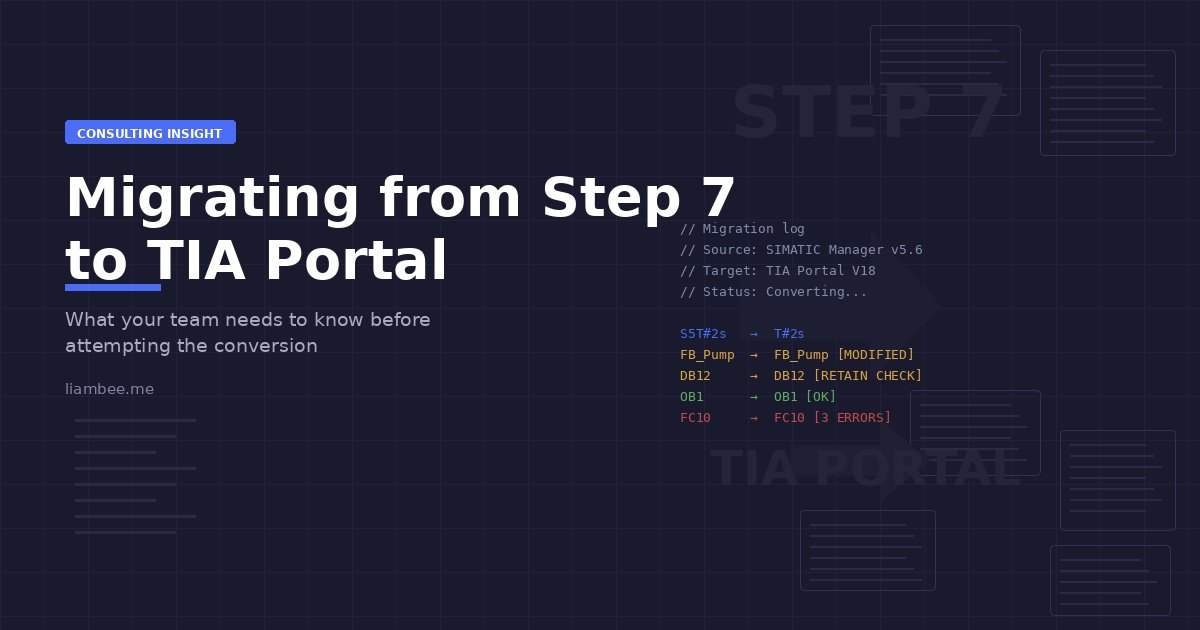
The conversion tools only solve half the problem. Here’s what actually happens when you migrate legacy Siemens projects.
Every automation engineer working with Siemens equipment knows this conversation is coming, if it isn’t already on the meeting agenda… Step 7 has been the backbone of industrial control for decades, but TIA Portal represents where Siemens is investing its development effort. At some point, your organisation will need to make the transition… TIA has been around for years now and is already facing newer development environments such as SIMATIC AX fundamentally changing the way TIA would operate in the future. If you’re still using SIMATIC Manager, you’re a long way behind now…
The question isn’t whether to migrate. The question is what that migration actually involves, because the reality differs significantly from what the marketing materials suggest.
Siemens provides conversion tools. They work, to a degree. You can load a Step 7 project into TIA Portal and watch it convert your code. But conversion is not the same as migration, and that distinction matters more than most teams realise before they start.
Why Migration Matters Now
Step 7 still works, and for many organisations, it works well. But the platform is reaching the end of its development lifecycle, new hardware increasingly requires TIA Portal and support resources are shifting. Engineers graduating from training programs are learning TIA Portal first, sometimes exclusively. The talent pool familiar with Step 7 is shrinking.
There’s also a practical consideration around hardware obsolescence. When a CPU fails and the replacement part is no longer available, suddenly you’re looking at a platform migration under time pressure. That’s not an ideal situation for making considered decisions about how to approach the conversion. S7-300 and S7-400 hardware is becoming increasingly difficult to source. Lead times stretch and prices climb… The secondary market for used modules introduces its own risks around reliability and firmware compatibility.
The support landscape has shifted too… Siemens technical support increasingly focuses on TIA Portal. Online communities, documentation, and training resources follow the same trend. When your team hits a problem, the available help assumes you’re working in the current environment. Finding solutions for Step 7 specific issues becomes harder with each passing year.
There’s also a recruitment reality that organisations underestimate… A new automation engineer joining your team in 2025 likely trained almost exclusively on TIA Portal. Asking them to work effectively in Step 7 means additional training on a platform with diminishing relevance. That’s an awkward conversation to have with a new hire, and it limits your talent pool to engineers who built their careers in an earlier era.
The teams that handle this well are the ones who plan the migration before circumstances force it. They take time to understand what changes, what doesn’t convert cleanly, and what modifications their codebase needs before attempting the switch.
What the Conversion Tools Actually Do
Siemens provides the Step 7 to TIA Portal migration tool. It reads your existing project and attempts to recreate it in TIA Portal’s environment. For straightforward projects with standard programming constructs, it handles the conversion reasonably well.
The tool converts your program organisation, your function blocks, your data blocks. It recreates your hardware configuration. It maintains your tag names and your network structure. On paper, this sounds comprehensive.
But the tool cannot handle everything, because the two platforms differ in fundamental ways. Some programming constructs that existed in Step 7 don’t have direct equivalents in TIA Portal. The tool flags these as conversion errors and moves on, leaving you to resolve them manually.
Inline coils are a common example. Step 7 allowed you to place output coils inline within ladder logic networks in ways that TIA Portal simply doesn’t support. The conversion tool encounters these, marks them as errors, and the engineer needs to restructure that logic manually.
Some instructions changed behaviour between platforms. Timers work differently. The way downloads are managed has changed. Data block structure and retention settings operate under different rules. Dependencies between blocks are tracked and managed differently. These aren’t issues with the conversion process, they’re architectural differences between the platforms, and no automated tool can make assumptions about how you want to handle them… This is the assumption that we make as humans, that it will know what to do, and then become frustrated that the conversion process isn’t straight forward and simple.
The result is a project that technically loads in TIA Portal but requires significant manual intervention before it compiles, let alone runs correctly.
It’s worth noting that the migration tool has improved over the years and continues to improve… But the fundamental limitation remains… it can only automate what’s mechanically translatable. Anything that requires engineering judgment about how to restructure logic falls to you and your team.
The Technical Differences That Cause Problems
Understanding what changes between Step 7 and TIA Portal helps you anticipate where the conversion will require manual work. Some of these differences are well documented. Others only become apparent when you’re deep into a conversion and something doesn’t behave the way you expected.
Timer behaviour is one of the more significant differences. Step 7’s S5 timers have no direct equivalent in TIA Portal. If your code uses S5T timer formats extensively, every instance needs converting to IEC timers. The logic accomplishes the same outcome, but the timer resolution, the way preset values are specified, and the behaviour at the boundaries all differ. Projects that relied heavily on S5 timer quirks, particularly around BCD format timing values, need careful attention during conversion. The IEC timer replacements are actually more capable, but they behave differently enough that a straight substitution isn’t always sufficient.
Data block management changed substantially. Step 7 handled data blocks and their retention settings in a particular way. TIA Portal uses a different approach to managing which data persists through power cycles and which doesn’t. The conversion tool attempts to preserve your retention settings, but the underlying mechanism differs enough that you need to verify the behaviour after conversion. TIA Portal’s optimised data block access is another consideration. Step 7 data blocks used absolute addressing by default. TIA Portal introduces symbolic access and optimised blocks, which change how data is stored in memory. You can keep the old-style non-optimised blocks after conversion, but doing so means missing out on one of TIA Portal’s genuine improvements.
Download management is another area where the platforms diverge. Step 7 allowed certain download operations that TIA Portal handles differently. If your existing workflow relied on selective downloads or specific download sequences, you need to adapt those procedures to TIA Portal’s approach. The concept of consistent and non-consistent downloads in TIA Portal, where dependency chains are checked for each object being downloaded, can trip up teams accustomed to Step 7’s more permissive approach.
The Dependencies between program organisation units get tracked differently. In Step 7, you could have certain relationships between function blocks and data blocks that TIA Portal either handles differently or doesn’t permit at all. The conversion tool flags these, but resolving them requires understanding both what the existing code was trying to accomplish and how to achieve the same result within TIA Portal’s structure.
Then there are the programming constructs that simply don’t exist in TIA Portal. Beyond inline coils, there are instructions and function calls that were available in Step 7 but have been replaced, renamed, or restructured in TIA Portal. Each of these requires manual conversion, and that means understanding what the original instruction did well enough to implement the equivalent behaviour.
Undocumented Modifications
The conversion tool works on the project file you give it. But in many organisations, the project file sitting on a shared drive doesn’t match what’s actually running on the PLC… I have encountered this more times than I can remember, even with revision control and every other safety measure out there to ensure this cannot happen.
Over years of production, engineers make online changes, but sometimes those changes do not get saved back to the project file… Hotfixes get applied during a weekend callout and never formally recorded, or A contractor makes a modification during commissioning and walks away without updating the master project.
The result is a divergence between the offline project and the online reality. If you convert the offline project, you’re converting something that doesn’t represent the actual running system. If you upload from the PLC first, you get the running code but lose any comments, symbols, or structure that existed only in the offline project.
Before any migration attempt, you need to reconcile these differences. That means connecting to the live system, comparing what’s running against your project file, and resolving every discrepancy. This is tedious work, but skipping it means your migrated project won’t match reality, and you’ll discover that at the worst possible moment… after you’ve finished the conversion and can no longer compare or change without undoing the fixes made in TIA Portal…
For multi-machine sites where the same base project runs on several lines, the problem compounds. Each machine may have accumulated its own set of undocumented modifications. What started as one project is now effectively several variants, and each needs individual attention during migration.
What Happens After the Initial Conversion
Running the migration tool gives you a TIA Portal project with a list of errors and warnings. The length of that list varies dramatically depending on how your original project was structured and which programming patterns it used.
For simple projects, you might have a handful of issues to resolve. For complex industrial systems built up over years by multiple engineers, the error list can run to hundreds of items. Each error represents logic that needs manual attention before the project will compile.
This is where the real work begins. Each error needs investigation. What was the original code trying to do? Why did it fail to convert? What’s the equivalent approach in TIA Portal? Can the logic be restructured to achieve the same outcome?
Some errors are straightforward to fix. A renamed instruction gets updated to its new name. A data type that changed slightly gets converted to the new format. These are tedious but not particularly difficult.
Other errors require deeper understanding. Logic that relied on specific timing behaviour needs restructuring to work correctly in TIA Portal’s execution model. Data blocks that used certain access patterns need reorganising to comply with TIA Portal’s dependency rules. Function blocks that called each other in ways Step 7 permitted but TIA Portal doesn’t require architectural changes.
The converted project also needs thorough testing. Even logic that converted without errors might behave differently in subtle ways. Timer precision differs. Execution order might vary. Dependencies that were implicit in Step 7 need to be made explicit in TIA Portal. Each of these can affect system behaviour in ways that only become apparent during testing.
Phased Migration vs Full Cutover
One of the earliest decisions you’ll face is whether to migrate everything at once or take a phased approach. Both have merits, and the right choice depends on your specific circumstances.
A full cutover means converting the entire project, resolving all issues, and commissioning the migrated system in one planned shutdown. This works best for smaller, self-contained systems where the conversion scope is manageable and you have a maintenance window long enough to complete the work and validate the result. The advantage is simplicity: you plan once, execute once, and you’re done.
Phased migration works better for complex, multi-area systems. You might migrate one production area at a time, or one machine at a time in a multi-line facility. Each phase is smaller in scope, easier to test, and less risky if something goes wrong. The disadvantage is that you’re maintaining two platforms simultaneously during the transition period. Your team needs to work in both Step 7 and TIA Portal, and you need clear boundaries between migrated and non-migrated sections.
For sites with multiple identical or similar machines, phased migration offers another advantage… lessons learned. The first machine migration reveals problems you didn’t anticipate. The second goes smoother. By the third or fourth, the process is well-understood (and should be well documented!) and the timeline is predictable. Treating the first migration as a pilot, with extra time and scrutiny, often saves significant effort across the remaining machines.
There’s a hybrid approach worth considering too. Some organisations migrate the project file and development environment to TIA Portal but continue running on existing S7-300 or S7-400 hardware. TIA Portal supports some legacy hardware configurations, which means you can move to the new development platform without changing the physical control system. This decouples the software migration from the hardware migration, allowing each to happen on its own timeline. There is also the possibility of re-using the existing hardware as remote IO with minor software mapping to enable this…
Planning Your Migration Approach
The teams that handle migration successfully don’t treat it as a one-time conversion event. They treat it as a project with multiple phases, each with specific objectives and deliverables.
Assessment comes first. Before attempting conversion, you need to understand what you’re working with. How complex is the existing project? Which programming patterns does it use? Are there areas known to cause conversion problems? What does the hardware configuration look like? Answering these questions early reveals potential complications before you’re deep into the conversion process.
A thorough assessment should include an inventory of all program blocks, their types, and their calling relationships. It should identify which blocks use constructs known to cause conversion issues. It should catalogue the hardware configuration, including any modules that don’t have TIA Portal equivalents. And it should document the current state of the project: is the offline version current? Are there known discrepancies with the online system? How many variants exist across different machines?
The actual conversion happens in stages, with documentation running alongside every phase:
Assessment Phase
- Assess project complexity
- Identify programming patterns and known conversion risk areas
- Review hardware configuration
- Inventory all program blocks and relationships
- Identify problematic constructs
- Catalogue hardware vs TIA equivalents
- Verify offline vs online state
- Identify machine variants
Conversion Phase
- Convert project into TIA Portal
- Resolve compilation errors
- Address unsupported instructions
- Correct hardware mapping issues
Testing Phase
- Test individual function blocks
- Test integrated sequences
- Verify hardware configuration
- Validate behaviour vs original system
- Investigate and resolve behavioural differences
Validation & Deployment
- Simulate process where possible
- Test on non-production equipment
- Operator functional verification
- Production readiness approval
Documentation (Continuous)
- Record all conversion fixes
- Document behavioural differences
- Capture logic restructuring decisions
- Store migration justification notes
Each stage reveals issues that need addressing before moving to the next.
Testing is not optional. The migrated code needs to run through the same validation process as any new program. Simulate the process if possible. Test on non-production equipment. Have experienced operators verify that the system responds as expected. Assume nothing converts perfectly without validation.
Documentation becomes critical during migration. Every change made to resolve a conversion error should be recorded. Every behaviour difference should be noted. Every decision about how to restructure problematic logic should be captured. Six months after the migration, when someone asks why a particular section of code looks different from the original, that documentation provides the answer.
When External Expertise Accelerates the Process
Migration projects fail most often because organisations underestimate either the technical complexity or the time commitment required. The work looks straightforward until you’re confronted with hundreds of conversion errors and no clear understanding of which need immediate attention and which can be deferred.
This is exactly where external expertise proves valuable. An engineer experienced with both platforms can review your existing Step 7 project, identify potential conversion problems before attempting migration, and provide realistic estimates of the work involved.
More importantly, someone who has handled multiple migrations knows the patterns. They recognise which errors indicate fundamental restructuring requirements and which are simple fixes. They know which differences between platforms affect real-world behaviour and which are merely cosmetic. They can work through the error list systematically, resolving issues in an order that makes sense rather than just working top to bottom.
External support doesn’t mean handing the entire project to a consultant. It means getting expert input at critical decision points. During assessment to understand the scope. During planning to establish a realistic timeline. During conversion to resolve the complex technical issues efficiently. During testing to ensure nothing was missed.
The value comes from experience. Someone who has migrated dozens of projects knows what to look for. They’ve seen the edge cases. They know which Siemens documentation actually helps and which leaves out critical details. They can distinguish between conversion issues that need careful attention and those that can be resolved quickly once you know the pattern.
For many organisations, bringing in someone who specialises in migration work means the project happens in weeks rather than months. Internal engineers continue maintaining production systems while the migration work progresses in parallel. The final result is a clean TIA Portal project with proper documentation of every change made during conversion.
Migration & Technical Services
Expert Support for Your Step 7 to TIA Portal Migration
Whether you need an initial project assessment, hands-on conversion support, or full migration management, I offer phased consulting engagements tailored to where you need help most, with over 20 years of Automation and PLC experience.
Find Out MoreThe Reality of Migration Timelines
Siemens training courses often present migration as something that happens in a day or two. Load the project, run the tool, fix a few errors, done. That timeline works for demonstration projects, not for industrial systems that have been in production for years.
A realistic timeline depends heavily on project complexity. A single-machine control system with straightforward ladder logic might convert cleanly in a few days. A coordinated multi-CPU system with custom function blocks, complex interlocking, and undocumented modifications might take months.
The timeline also depends on how much testing rigor the application demands. A non-critical packaging line might accept less extensive validation than a chemical process with safety implications. Food and pharmaceutical applications typically require more documentation and validation than general manufacturing. The regulatory environment matters.
Most organisations find that the conversion itself takes less time than they expected, but resolving the errors and validating the results takes significantly longer. The automated tool works quickly. The manual restructuring of problematic logic takes time. Testing takes even more time, especially if issues emerge that require going back and revising the conversion approach.
Planning should account for multiple iterations. The first conversion attempt reveals issues. Those get addressed. The second attempt works better but uncovers additional edge cases. Those get resolved. By the third or fourth iteration, the process becomes predictable and the remaining work is mostly validation.
Building buffer time into the schedule helps significantly. Migration projects invariably encounter unexpected complications. Hardware that was supposed to be compatible requires firmware updates. Logic that appeared straightforward contains undocumented dependencies. Testing reveals behaviour differences nobody anticipated. Having schedule flexibility to address these issues without derailing the entire project makes the process less stressful.
Training Your Team for the New Environment
The technical conversion is only half the migration. The other half is people. Your engineers need to work effectively in TIA Portal, and that requires more than just knowing where the menus moved.
The good news is that the fundamental programming concepts carry across. Ladder logic is still ladder logic. Function blocks still work the same way conceptually. An engineer who’s competent in Step 7 already understands PLC programming. What they need to learn is the new environment’s workflow, its quirks, and its capabilities.
The bad news is that many organisations treat TIA Portal training as a one-day overview course and expect engineers to figure out the rest. That’s how you end up with a team that uses TIA Portal exactly like Step 7, missing out on every improvement the new platform offers.
Effective training should cover the practical differences that affect daily work. How project compilation differs. How online monitoring works. How to use the cross-reference tools, which are significantly more powerful in TIA Portal. How data block management works with optimised access. How the library system functions. These aren’t theoretical concepts. They’re the tools your engineers will use every day.
Timing matters too. Training delivered weeks before the migration starts gets forgotten. Training delivered months after, when bad habits have already formed, faces resistance. The most effective approach is training timed to coincide with the migration work, so engineers can immediately apply what they’ve learned on real project tasks.
For teams that learned Step 7 years ago and haven’t had formal training since, migration is also an opportunity to address broader skill development. Modern TIA Portal supports structured text, proper object-oriented concepts through UDTs and function blocks, and library-based development. These capabilities existed in some form in Step 7, but TIA Portal makes them more accessible and more practical. Investing in training that covers these modern approaches pays dividends long after the migration is complete.
What Comes After Migration
Successfully converting your code to TIA Portal solves the immediate compatibility problem, but it also creates an opportunity. You now have a project in a modern development environment with better tools, better debugging capabilities, and better support for structured programming approaches.
Many organisations treat migration as a chance to improve their codebase. The conversion process reveals where documentation is missing. It highlights inconsistent naming conventions. It exposes copy-paste programming practices that accumulated over years. Once the basic conversion works, there’s value in going further and cleaning up these problems.
Refactoring doesn’t need to happen immediately. Get the migrated system running as stable as possible first. But recognise that you’re working in a platform better suited to modern programming practices. Asset Oriented Programming becomes much more practical in TIA Portal than it was in Step 7. Proper library management is easier. Version control integration works better. The tools support practices that were difficult to implement in the older environment.
Consider structuring post-migration improvements into tiers. Quick wins include standardising naming conventions, adding missing comments, and organising the project tree logically. Intermediate improvements might involve consolidating duplicate function blocks, implementing proper UDT structures, and establishing library blocks for common equipment types. Long-term changes could include restructuring the entire project around asset-oriented principles, implementing proper version control workflows, and establishing documentation practices that prevent the same problems from recurring.
The other consideration is ongoing maintenance. TIA Portal receives regular updates. New features get added. Hardware support expands. Keeping your development environment current becomes easier than it was with Step 7, but it requires establishing practices around when and how to adopt new versions. Having a clear policy on TIA Portal version management, including when to upgrade and how to handle projects across multiple versions, prevents the kind of drift that created problems in the Step 7 era.
Common Mistakes That Derail Migration Projects
Having worked through numerous migration projects over the years, certain patterns emerge. The same mistakes tend to derail the same types of organisations, and most of them are avoidable with proper planning.
Underestimating scope is the most common. Teams run the conversion tool on a test project, see a manageable error list, and extrapolate that timeline to their full production system. But test projects don’t have twenty years of accumulated modifications, undocumented workarounds, and copy-paste variants. The production system does. Always pilot the conversion on your actual project, not a stripped-down test case.
Insufficient testing is a close second. The logic compiles, it downloads, and the obvious sequences work. So the team declares success and moves on. Three weeks later, an edge case triggers behaviour that nobody tested because nobody knew it existed in the original code. The pressure to get back to production quickly is understandable, but cutting testing short is a false economy.
Neglecting the hardware dimension catches organisations off guard. The software migration is planned in detail, but nobody checked whether the existing I/O modules, communication processors, or drive interfaces have TIA Portal support. Discovering that a critical module needs replacing during what was supposed to be a software-only migration creates scope changes that blow timelines apart.
Trying to improve and migrate simultaneously is tempting but risky. The urge to clean up the code while you’re converting it is natural. But combining conversion work with refactoring means you can’t easily verify that the migrated system behaves identically to the original. Convert first. Validate that the converted system matches the original. Then improve. Keeping these phases separate makes problems much easier to diagnose.
Getting Started with Your Migration
If you’re facing a Step 7 to TIA Portal migration, the most important step is honest assessment before beginning conversion work. Understand what you have. Understand what needs to change. Understand how much time the work will realistically require.
For organisations with the internal capacity and expertise, migration is manageable as an internal project. For those without extensive experience in both platforms, or for those whose teams are already fully committed to maintaining production systems, external support makes the timeline more predictable and the outcome more reliable.
The conversion tools exist and they work within their limitations. But automation of the conversion process only solves part of the problem. The rest requires engineering judgment, testing rigor, and experience recognising which differences between platforms matter and which don’t.
Migration from Step 7 to TIA Portal is achievable. It requires proper planning, realistic timelines, thorough testing, and clear documentation of every change. Whether your team handles it internally or brings in external expertise depends on your specific circumstances, but understanding what the process actually involves helps you make that decision based on reality rather than assumptions.