Skip to content

PLC Automation Consultancy & Training | Liam Bee

Learn PLC automation properly, through structured courses, deep technical guides, and industrial consultancy.
  • All Posts
  • βš™οΈTechnical Services
  • Siemens TIA Portal Book
  • Do & Grow Membership
    • View Do & Grow Membership
    • Getting Started With Do & Grow
  • Courses
    • View All Courses
  • Membership Account
    • Sign In
    • Dashboard
    • My Courses
    • My Grades
    • My Memberships
    • My Achievements
    • My Certificates
    • Notifications
    • Edit Account
    • Redeem a Voucher
    • Order History

Node-RED

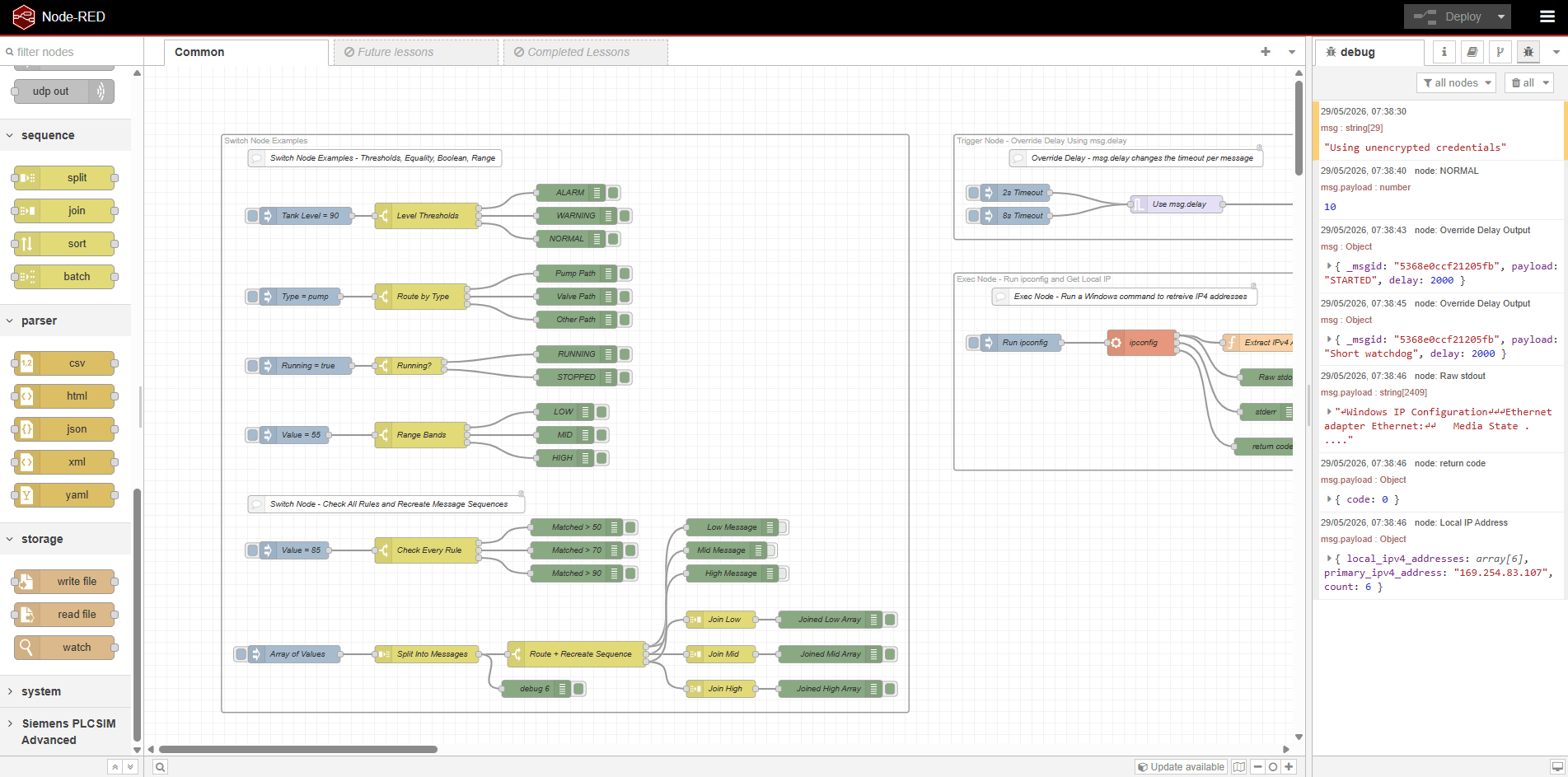
  • Node-RED – Basic Nodes And Uses – 2026 – V4.1

    Node-RED – Basic Nodes And Uses – 2026 – V4.1

    Liam (Site Owner) Liam (Site Owner)

    Difficulty: πŸ”΄β­•β­•β­•β­•

    Number of lessons: 38

Consulting Services

Member Benefit

Browse Ad-Free

Do & Grow members never see advertisements while logged in. Just learning, courses, and engineering content, distraction free.


Unlock Ad-Free Access
Free 30-Min Call

Book a Quick Discussion

Check the Technical Services page first, but if your project does not quite fit, or you are not sure what you need yet, you can book a discussion here.

General Discussion Banner
Not displaying nicely?

Latest YouTube Content

Siemens TIA Portal V21 – Version Control Interface (VCI) and AI Integration

In this video, I take a look at the Version Control Interface (VCI) in Siemens TIA Portal V21, how it works, and how I've started using it alongside AI tools such as OpenAI Codex, ChatGPT and Claude to help with PLC development, troubleshooting and documentation.

VCI has been available in TIA Portal for several versions, but it's something I've only recently started making proper use of. With the improvements introduced in TIA Portal V21, I wanted to demonstrate how VCI can be used to export PLC program blocks, data types and project library objects into external XML and SCL files that can be analysed, modified and version controlled outside of TIA Portal.

Using an existing Siemens S7-1500 project from my Asset Oriented Programming course, I walk through the process of configuring VCI, synchronising project files, comparing changes and importing modified code back into TIA Portal.


πŸ”§ WHAT'S COVERED IN THIS VIDEO
━━━━━━━━━━━━━━━━━━━━━━━━━━━━

00:00 - Introduction to VCI in Siemens TIA Portal V21
01:08 - Creating a New VCI Workspace
02:15 - Adding PLC Objects and Exporting to XML
04:00 - Exploring Exported PLC Blocks, UDTs and Tags
05:10 - Understanding SCL and LAD XML Files
07:10 - Detecting Changes Between VCI and TIA Portal
09:00 - Recovering a VCI Workspace After a Crash
11:20 - Comparing PLC Program Changes
13:00 - Downloading the SIMATIC Automation Compare Tool
14:30 - Configuring External Comparison Tools
16:00 - Comparing Ladder Logic with the Compare Tool
18:00 - Importing and Exporting Changes with VCI
19:40 - Exporting Project Library Objects
21:00 - Limitations of VCI and Comparison Tools
23:00 - Working with Version-Controlled Library Blocks
25:10 - Exploring Data Blocks in XML Format
26:30 - Editing XML Files Outside TIA Portal
27:20 - Comparing and Importing Modified Data Blocks
29:00 - Automating Repetitive PLC Engineering Tasks
30:00 - Editing SCL Code Outside TIA Portal
31:30 - Synchronising Modified SCL Files
33:00 - Accessing and Sharing the VCI Workspace
34:00 - Using VCI with AI Tools such as Codex and Claude
35:00 - Tracing PLC Logic and Generating Documentation
36:20 - Benefits of VCI Without MCP Servers
37:00 - Tracking Commissioning Parameters and Start Values
37:45 - Final Thoughts and Future Videos


πŸ€– VCI AND AI INTEGRATION
━━━━━━━━━━━━━━━━━━━━━━━━━━━━

One of the biggest advantages I've found with VCI is that it provides a relatively simple way of making PLC project information accessible to external tools without needing to configure an MCP server or introduce additional software integrations.

By exporting the project through VCI, AI tools such as Codex can examine the structure of a PLC program, trace logic between function blocks, identify interlocks and help explain how a control system operates.

I've found this particularly useful when working with existing projects, understanding somebody else's code or producing technical documentation.

For me, this isn't about asking AI to write complete PLC programs. It's about using the tools available to reduce repetitive engineering work, assist with fault finding and make it easier to understand, maintain and document industrial automation systems.

There are still limitations with VCI, particularly around the comparison tools and some of the library functionality, and I demonstrate a few of these frustrations throughout the video.

This is an unedited, practical walkthrough rather than a polished tutorial, but hopefully it gives you some ideas about how VCI could fit into your own PLC development workflow.

I'll be covering more practical examples of VCI and AI integration in future videos.


🌐 WEBSITE & PLC TRAINING
━━━━━━━━━━━━━━━━━━━━━━━━━━━━

Visit https://liambee.me for Siemens TIA Portal tutorials, PLC programming courses and further industrial automation content.


πŸ’¬ QUESTIONS & DISCUSSION
━━━━━━━━━━━━━━━━━━━━━━━━━━━━

Are you using VCI, Git, Codex or other AI tools alongside Siemens TIA Portal?

Let me know in the comments how you're using them, or if there's something you'd like me to demonstrate in a future video.

If you find the video useful, please consider liking and subscribing for more Siemens PLC programming tutorials and industrial automation content.


#TIAPortal #SiemensPLC #TIAPortalV21 #VersionControl #OpenAICodex #PLCProgramming #IndustrialAutomation #S71500 #SiemensAutomation #PLCDevelopment #StructuredText
Exporting Siemens TIA Portal Logic To XML With VCI
Subscribe

Latest Tip

liambee.me

Helping teach PLC automation
#AlwaysLearning #Siemens #TIAPortal #PLC #Automation #AllenBradley #Rockwell #Schneider #Codesys

The Testing tab becomes available only when the pr The Testing tab becomes available only when the project is connected online to a PLC. It exposes operational controls that directly affect the running controller, including run, stop, and memory reset actions.

These controls act immediately on the device without additional confirmation layers. A single action can stop a process or clear program memory, which makes this tab one of the most powerful areas of the Task Pane.

TIA Portal intentionally separates these controls from normal engineering tools by placing them in a contextual tab. This reduces accidental interaction but does not remove responsibility from the engineer.

Understanding when the Testing tab appears and what it controls is essential for safe commissioning, troubleshooting, and live system work.

Watch more about this in The Complete Guide To TIA Portal V20 on YouTube: https://www.youtube.com/watch?v=pXX8jD81m_U

#AlwaysLearning #Siemens #TIAPortal #Automation #PLC #HMI #DoAndGrow

Featured Courses

πŸ”ΉThe Complete Guide To Siemens TIA Portal V20πŸ”Ή

--> In Active Development <--
⭐ Included In Do & Grow ⭐

Learn all there is to learn about Siemens TIA Portal V20

πŸ”ΈSIEMENS TIA PORTAL
ASSET ORIENTED PROGRAMMINGπŸ”Έ

Take a look at the biggest TIA Portal Course in AOP Design!

➑️ Find Out More

Most Viewed Post
  1. TIA Portal – TON / TOF / TP Timers And Different Use Cases (17,659)

You missed

Siemens

Exporting Siemens TIA Portal Logic To XML With VCI

October 14, 2026 Liam (Site Owner)
General

A Personal Update…

October 11, 2026 Liam (Site Owner)
Siemens

Do UDTs Break Cross Referencing? | TIA Portal, InOut Parameters & Asset Oriented Programming

June 10, 2026 Liam (Site Owner)
Node-RED

πŸš€ New Course: Node-RED Basic Nodes & Uses

June 1, 2026 Liam (Site Owner)

PLC Automation Consultancy & Training | Liam Bee

Learn PLC automation properly, through structured courses, deep technical guides, and industrial consultancy.

Proudly powered by WordPress | Theme: Newsup by Themeansar.

  • Privacy Policy
  • Powered By Icons8
×