
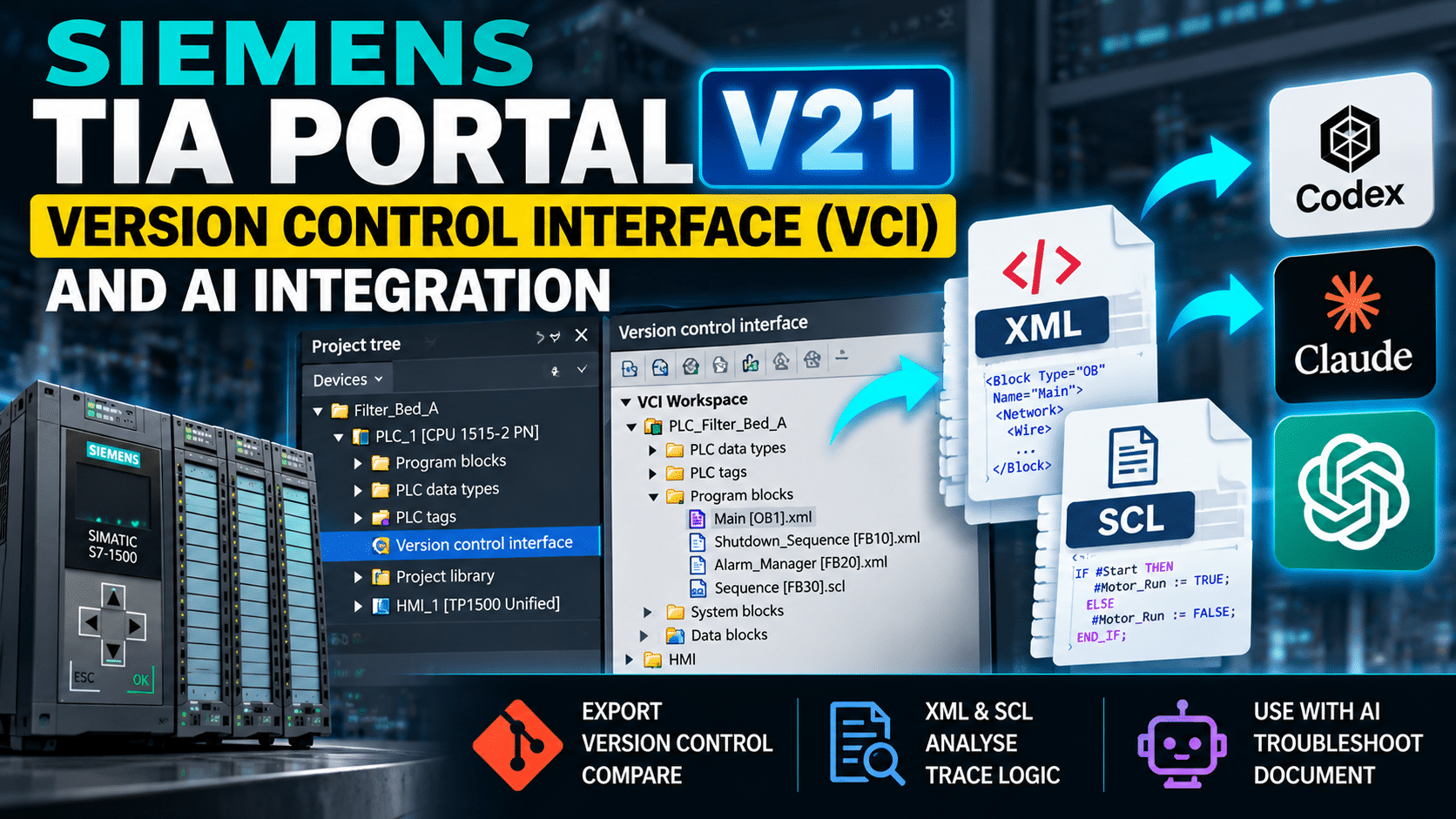
Making Better Use of VCI in Siemens TIA Portal V21 – Version Control and AI Integration
The Version Control Interface (VCI) in Siemens TIA Portal has been available since V17, but it’s one of those features that I’ve never really given much attention to. I’ve looked at it several times over the years, but always felt that it was a little clunky and didn’t quite deliver what I expected from something described as a version control interface.
With the release of TIA Portal V21, I’ve started spending more time exploring what VCI can actually offer, particularly when combined with external tools such as Git, OpenAI Codex and Claude.
What I’ve found is that VCI is potentially far more useful than simply tracking changes between PLC program blocks. It provides a relatively straightforward way of extracting information from a TIA Portal project into a format that can be processed, analysed and modified without having to work directly inside TIA Portal.
Understanding What VCI Actually Does
VCI allows supported objects within a TIA Portal project to be exported into an external workspace. These objects are represented as XML files, with SCL source code retained in a text-based format.
This is an important distinction because TIA Portal projects aren’t particularly accessible to external software. Most of the information is contained within Siemens’ proprietary project structure, making it difficult to extract and process information without using tools such as TIA Portal Openness.
VCI provides another route.
By exporting PLC program blocks, data blocks, PLC tags and data types, we end up with a collection of files that can be accessed using standard text editors, version control systems and other software.
In TIA Portal V21, the available functionality has also expanded to include additional project objects, including project library types and certain hardware-related information.
Not everything is supported, and there are still restrictions around some objects, but the range of information available is considerably more useful than it was in earlier versions.
Version Control Isn’t Just About Comparing Code
One of the more obvious applications for VCI is tracking changes to PLC programs.
When an object is exported into the VCI workspace, TIA Portal maintains a relationship between the project object and its corresponding external file.
If either version changes, VCI can identify that a difference exists.
The engineer can then decide whether to export the latest project version or import the modified workspace file.
This becomes particularly useful when working with Git, where changes to exported files can be committed, reviewed and compared over time.
However, VCI itself isn’t Git. It doesn’t provide the complete version control functionality that Git offers, and Siemens relies on external comparison tools to display differences between objects.
The SIMATIC Automation Compare Tool provides graphical comparisons for PLC programming languages such as LAD, although I’ve found that the presentation can become difficult to work with when dealing with larger networks.
For text-based programming languages such as SCL, tools such as WinMerge can provide a more straightforward comparison.
The important point is that VCI makes the project information accessible, leaving the engineer to decide which tools are most appropriate for managing it.
Using VCI to Modify PLC Project Information
Something that I find particularly useful is the ability to modify exported information outside TIA Portal and then import it back into the project.
Consider a data block containing hundreds of alarm definitions.
Within TIA Portal, making repetitive changes to comments, descriptions or other information can become time-consuming, particularly when working through remote connections or virtual machines.
With VCI, the data block can be exported into XML, modified using a text editor or script, and synchronised back into the project.
This opens up opportunities for automating repetitive engineering tasks.
For example, a Python script could process exported XML files, identify particular alarm structures and systematically update comments or other supported attributes.
Rather than manually editing hundreds of individual entries, the changes can be generated externally and imported through VCI.
There are limitations, of course. The exported XML must retain the structure expected by TIA Portal, and any imported changes should be compiled and tested before being used within a running system.
Nevertheless, the ability to work with this information externally is a significant advantage.
Integrating VCI with AI Tools Such as Codex
This is where I’ve started finding VCI particularly interesting.
There’s a considerable amount of discussion around connecting AI tools directly to engineering software through Model Context Protocol (MCP) servers.
While these integrations can be useful, they introduce additional configuration, dependencies and potentially significant token consumption.
VCI offers a much simpler alternative for certain tasks.
By exporting a PLC project into a VCI workspace, we can provide tools such as OpenAI Codex or Claude with access to the exported program structure.
These tools can then examine the files, follow references between blocks and build an understanding of how different parts of the PLC program interact.
For example, I’ve experimented with asking AI to trace the operation of a particular valve, starting from the main program and following the logic through multiple function blocks and sequences.
The objective isn’t simply to find where the valve is referenced. It’s to understand the conditions that permit operation, identify interlocks and explain how the equipment behaves during different process states.
For larger projects, this type of analysis can take several minutes, but it can provide a useful starting point for understanding complicated control logic.
It’s not perfect, and the results still require engineering verification, but it can significantly reduce the amount of time spent manually navigating unfamiliar programs.
AI-Assisted PLC Documentation
Another application is technical documentation.
Writing detailed descriptions of how PLC software operates can be time-consuming, particularly when documenting existing installations.
With access to the exported program structure, AI can help produce an initial explanation of how sequences, interlocks and equipment managers interact.
This could include identifying the conditions required to start equipment, tracing shutdown conditions or explaining how different process stages are coordinated.
I wouldn’t suggest accepting AI-generated documentation without reviewing it. PLC software frequently contains implementation details and operational considerations that require an experienced engineer to interpret correctly.
However, producing a reasonable first draft is often considerably quicker than starting with a blank document.
For inherited projects, even an incomplete explanation can help identify which areas of the software deserve closer investigation.
Tracking Commissioning Parameters and Start Values
One area I intend to explore further is using VCI for commissioning records.
PLC data blocks frequently contain configuration parameters, setpoints and other values that are adjusted during commissioning.
These values can change considerably between the initial software development and the final commissioned installation.
By capturing the relevant values and exporting them through VCI, it becomes possible to maintain an external record of the configuration at different stages of a project.
With some additional processing, these exports could potentially be used to generate commissioning parameter reports, compare configuration changes or maintain records of settings used at particular installations.
This could be particularly useful for engineers providing long-term support, where understanding which parameters have changed can be just as important as understanding changes to the PLC logic itself.
Is VCI Worth Using in TIA Portal V21?
I think so, although not necessarily for the reasons I originally expected.
VCI still has some frustrating limitations, particularly around object comparisons and the handling of certain library objects. The comparison functionality could certainly benefit from further development by Siemens.
However, looking at VCI purely as a version control feature overlooks much of its potential.
The ability to export structured PLC project information into externally accessible files creates opportunities for automation, analysis, documentation and integration with other development tools.
For me, that’s where the real value lies.
It’s taken me until TIA Portal V21 to start properly incorporating VCI into my development workflow, but I can already see several applications where it could save considerable engineering time.
As AI-assisted development tools continue to improve, having access to structured, text-based representations of PLC programs is likely to become increasingly valuable.
VCI isn’t a replacement for good engineering practices, proper software testing or understanding how a control system operates. It is, however, another tool that can make those activities more efficient.
I’ll be exploring some of these applications in more detail in future articles and videos, particularly around Codex integration, automated documentation and processing exported PLC project information.
If you’re already using VCI within your own TIA Portal projects, I’d be interested to hear how you’ve incorporated it into your development workflow.