
Troubleshooting PLC systems well requires methodology over speed….
Over 20 years working with industrial automation, I have consistently seen that engineers who solve problems fastest ask the right questions before touching anything. The ones who struggle are usually changing things immediately under pressure…
When production stops, the pressure can be immense. Managers want answers, operators stand around waiting, and every minute costs money. Your instinct tells you to start trying fixes immediately. This rarely works and often creates additional problems.
This article covers a systematic troubleshooting approach that works across all PLC platforms. Whether you work with Siemens, Allen Bradley, Schneider, or CODESYS systems, these diagnostic principles will help you find faults efficiently.
Why Random Troubleshooting Fails
Random troubleshooting creates three significant problems that become obvious once you have experienced the consequences.
You can break working systems. Changing parameters, forcing outputs, or modifying logic without full understanding risks creating new faults. In my experience, turning a single sensor failure into a complete system shutdown happens when engineers force outputs or change interlocks without considering downstream effects.
Even finding a solution accidentally leaves you without understanding why it worked. The problem will recur, you will troubleshoot it again, and you cannot implement preventive measures. Pattern recognition only develops when you understand root causes.
You reinforce poor troubleshooting habits. Every time random changes accidentally fix something, you learn the wrong lesson. Your brain connects random action with success, making systematic approaches harder to adopt later. This compounds over years and makes you slower at diagnosing complex problems.
Methodology matters more than technical knowledge in troubleshooting. I have worked with brilliant engineers who understood PLC systems deeply but struggled to diagnose faults because they lacked systematic approaches. Meanwhile, technicians with strong methodology often outperform them during actual fault conditions.
Start With Operators and Gather Intelligence
Operators are your best source of information during troubleshooting. They were present when the fault occurred, understand normal equipment behavior, and notice details that alarms miss. Starting your diagnostic process by talking to operators saves more time than any other single step.
Ask what exactly happened. Get the specific sequence of events they observed, not their interpretation of what caused it. Did the motor stop suddenly or slow down gradually? Was there unusual noise? Did anything smell hot? These observable details point toward causes that logs and alarms cannot reveal.
Determine when the problem started. Immediate failures after startup suggest different causes than gradual degradation over a shift. Problems occurring at consistent times daily often relate to shift changes, temperature variations, or scheduled processes. Timing narrows your diagnostic focus significantly.
Identify recent changes. Equipment running reliably for months does not fail randomly. Someone changed something, even if unintentionally. Recent parameter adjustments, replacement sensors, maintenance work, or process modifications often correlate directly with new faults. Operators remember these changes better than logs capture them.
Ask if they can reproduce the problem. Intermittent faults that operators can trigger on demand are much easier to diagnose than random occurrences. Understanding the reproduction steps reveals the specific conditions causing failure.
Operators sometimes hesitate sharing full details, especially if they suspect operator error caused the problem. Building rapport and making clear you want to fix systems rather than assign blame gets you better information. In my experience, operator error often reveals design flaws in the control system that need addressing anyway.
Gather Data Before Touching Anything
After talking to operators, collect data from the system before making any changes. This information gathering phase feels slow under pressure but prevents wasted effort later.
Check alarm history first. Modern PLCs and HMI systems log alarms with timestamps. Look at the sequence of alarms leading up to the fault. The first alarm often indicates root cause while subsequent alarms show cascade effects. Many troubleshooting efforts chase consequence alarms while the root cause alarm sits earlier in the sequence.
Review recent program changes. Most facilities track PLC program uploads with timestamps and revision notes. A program change uploaded yesterday that correlates with today’s fault is highly suspicious. Even checking if the program was uploaded at all reveals configuration issues or hardware problems.
Look at trending data if available. SCADA systems often trend process values like temperatures, pressures, and flow rates. Reviewing these trends shows whether the fault developed gradually or occurred suddenly. Gradual changes suggest sensor drift or process fouling, while sudden changes indicate equipment failure or control issues.
Check maintenance logs. Recent maintenance work correlates strongly with new faults. A sensor calibrated yesterday, a motor replaced last week, or a valve rebuilt last month might not have been restored correctly. Maintenance-related faults are often simple configuration or wiring issues.
Consider environmental factors. Temperature extremes, humidity, vibration, and electrical noise cause intermittent faults that seem random. In my experience, problems appearing only in summer heat or winter cold often trace to marginal components or inadequate panel cooling.
This information gathering typically takes 10 to 20 minutes but saves hours of incorrect diagnostic paths. You build a working theory about probable causes before changing anything.
Follow the Diagnostic Hierarchy
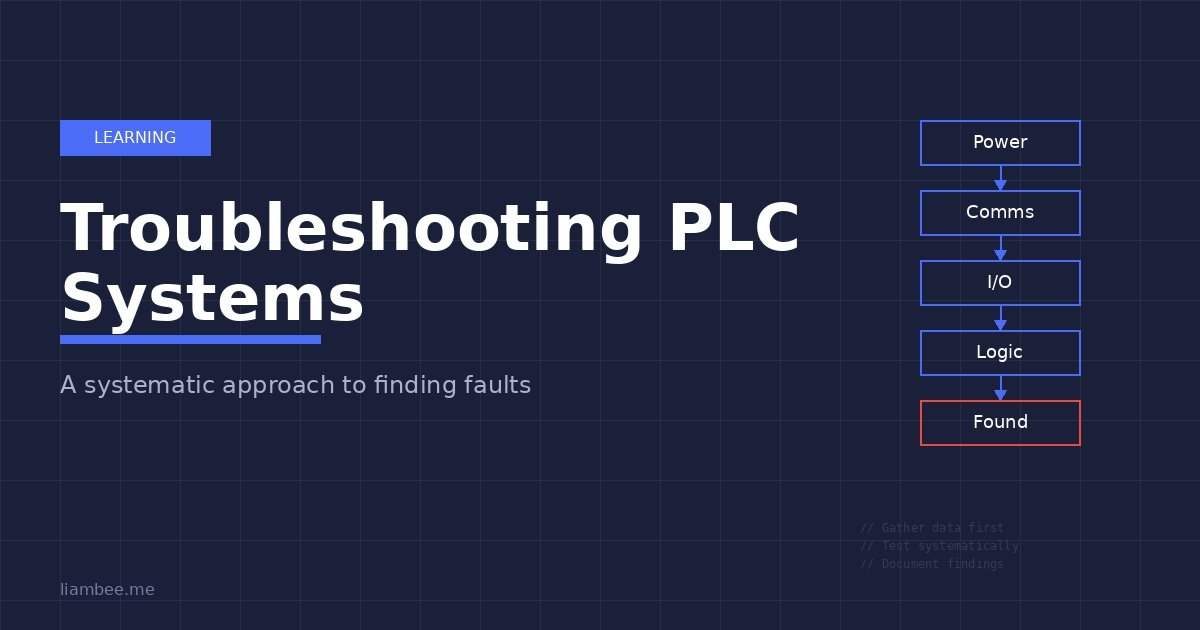
Systematic troubleshooting follows a hierarchy from basic to complex. Starting at the wrong level wastes time investigating impossible causes. This hierarchy applies regardless of your PLC platform or system complexity.
Check power first. Many embarrassing troubleshooting sessions end when someone notices the emergency stop engaged, a breaker tripped, or a fuse blown. Walk to the equipment and verify basic power presence before opening programming software. In my experience, about 20% of field troubleshooting calls resolve at this level.
Verify communications next. If the HMI shows no data or the PLC appears offline, communication faults are likely. Check network switch lights, verify cable connections, and test basic network connectivity before investigating application issues. A disconnected Ethernet cable wastes hours if you troubleshoot PLC logic first.
Test I/O functionality. If power and communications work correctly, verify that inputs read actual field conditions and outputs control field devices. A limit switch showing closed in the PLC when physically open indicates a wiring fault, not a logic problem. Testing I/O before investigating complex logic eliminates entire diagnostic branches.
Review logic only after confirming hardware works. Logic errors exist but occur less frequently than hardware faults in operational systems. If I/O responds correctly to field conditions but equipment behaves wrong, then investigate program logic.
Validate HMI accuracy last. Sometimes the equipment works correctly but the HMI displays wrong information. A failed communication tag or incorrect HMI address makes working equipment appear faulty. Verify actual equipment behavior against HMI indications when troubleshooting.
This hierarchy prevents common mistakes like troubleshooting complex logic when a loose wire caused the problem, or rewriting HMI screens when the PLC communication failed.
Divide and Conquer Through Isolation
Complex systems with many interacting components need isolation strategies to narrow down fault locations efficiently. Divide the system into testable sections, verify each section independently, then progressively narrow toward the specific failed component.
In my experience, this approach works reliably across different system types. A conveyor system might divide into drive, sensors, and logic sections. A process control system might separate into field instruments, control loops, and final control elements. A batch system might isolate by phase or sequence step.
Test each section with known good inputs. If you suspect a sensor issue, temporarily replace it with a known good sensor or simulate the signal. If the problem disappears, the original sensor failed. If the problem persists, you eliminated that section and move to the next.
Use forcing carefully during isolation testing. Forcing outputs can verify that field devices respond correctly without requiring working logic. Forcing inputs can test that logic responds correctly without requiring working sensors. However, forcing carries significant risk. Only force in test mode or after disabling automatic control, never in automatic production mode. Document every forced point and remove forces immediately after testing.
The swap test method works well for similar components. If Motor 1 fails but Motor 2 works correctly, swap their I/O connections in the PLC. If the problem follows the physical motor, you have a field device issue. If the problem stays with the I/O point, you have a wiring or module fault. This technique identifies hardware versus software problems quickly.
Stop testing once you find the fault. Continuing to test after identifying the problem wastes time and risks creating additional issues. Fix the identified problem, validate the fix, then stop.
Distinguish Hardware, Software, and Configuration Issues
Different fault types require different diagnostic approaches. Recognizing whether you face a hardware failure, software bug, or configuration error determines your troubleshooting strategy.
Hardware failures show specific patterns. Failed sensors give constant readings regardless of actual conditions. Blown outputs stay on or off regardless of logic state. Failed communication modules show error LEDs or missing heartbeats. Hardware faults usually require physical inspection and measurement with multimeters or oscilloscopes. In my experience, hardware failures are most common in systems with environmental stresses like heat, vibration, or moisture.
Software errors show different patterns. Logic bugs cause incorrect behavior that is reproducible and consistent. If the same inputs always produce wrong outputs, investigate program logic. Software faults require online monitoring, logic tracing, and sometimes code review. These problems existed since commissioning but perhaps only trigger under specific conditions that recently started occurring.
Configuration errors fall between hardware and software. Wrong I/O addressing, incorrect scaling parameters, improper PID tuning, or communication timeout values all cause problems without hardware failure or logic bugs. Configuration issues often appear after program uploads, parameter changes, or hardware replacement. These require comparing current configuration against documentation or working systems.
Testing inputs systematically follows a clear pattern. Observe the actual sensor state physically. Measure voltage or current at the PLC terminal with a multimeter. Check if the PLC input shows the correct state in online monitoring. Verify that program logic uses this input correctly. This sequence identifies exactly where signal integrity fails.
Testing outputs follows a similar pattern. Verify program logic energizes the output when expected. Measure voltage or current at the PLC output terminal. Confirm the field device receives this signal. Check if the field device responds appropriately. This progression finds whether logic, wiring, output card, or field device failed.
Intermittent faults are the hardest problems to diagnose. These appear randomly, making systematic testing difficult. Thermal issues cause intermittent behavior as components heat and cool. Loose connections create random failures from vibration. Marginal components work most of the time but fail under specific conditions. EMI from nearby equipment causes noise-related intermittent faults.
Diagnosing intermittent problems requires patience and monitoring. Set up continuous data logging if available. Record exact conditions when failures occur. Temperature, humidity, time of day, and concurrent equipment operation all provide clues. Sometimes you must wait for the fault to occur while monitoring all relevant parameters.
Use Online Monitoring Effectively
Modern PLC programming software provides powerful online monitoring capabilities. Using these tools effectively accelerates troubleshooting significantly.
Watch I/O states in real time while operating the equipment. Many platforms highlight contacts and coils that are energized, making logic flow visible. Follow the logic path to see exactly where expected continuity breaks or unexpected paths energize. This visual debugging often reveals problems that reading offline code cannot show.
Monitor tag values continuously during operation. Watching analog values, timer accumulated times, counter values, and status words shows dynamic system behavior. You notice when values are wrong, when they change unexpectedly, or when they fail to change when expected.
Record your findings as you troubleshoot. Write down which inputs show correct states, which outputs energize properly, and which logic paths execute. This documentation becomes essential for intermittent faults that disappear before you finish diagnosing them. Future troubleshooting sessions benefit from notes about what you already tested.
Use trace or watch windows to monitor multiple points simultaneously. Most platforms let you create custom watch lists of relevant tags. During troubleshooting, monitor all tags related to the fault simultaneously rather than checking them individually. This reveals timing relationships and state changes that sequential checking misses.
Be careful with forcing. Modern PLCs allow forcing inputs and outputs from programming software. This capability helps isolation testing but creates safety risks. Force only in test mode after ensuring safe conditions. Document every forced point. Remove all forces immediately after testing. I have responded to emergency calls where forced outputs caused equipment damage hours after testing ended because someone forgot to remove forces.
Common Troubleshooting Scenarios From Industrial Experience
Certain fault patterns appear repeatedly across different facilities and PLC platforms. Recognizing these common scenarios accelerates diagnosis.
Sensors reading backwards typically indicate wiring errors. A level sensor showing full when empty or a temperature reading negative when hot means reversed polarity or wrong input type configuration. Check wiring first, then verify analog input scaling parameters match sensor specifications.
Outputs working sometimes but not consistently often trace to blown fuses, marginal output cards, or loose terminal connections. The output might work for small loads but fail under full load current. Check fuse ratings, measure output voltage under load, and verify terminal tightness.
Communication problems appearing at consistent times often relate to network bandwidth, scheduled tasks, or IT network activity. In my experience, industrial networks that slow down at 3 PM daily frequently conflict with IT department backup operations or shift change data logging. Use network analyzers to identify bandwidth issues and traffic patterns.
Alarms with no apparent cause sometimes result from scan time spikes. The PLC briefly executes slower than normal, timers count differently than expected, and alarm conditions trigger momentarily. Review scan time trends and look for periodic processes that load the CPU temporarily. Alarm logic should include time delays to prevent nuisance alarms from brief condition changes.
Programs that worked for months then suddenly fail often have marginal logic that worked under normal conditions but fails under edge cases. Recent process changes might create conditions the programmer never anticipated. Review program logic against actual operating conditions rather than designed conditions.
Essential Troubleshooting Tools
Effective troubleshooting requires appropriate tools beyond programming software. I keep these items readily available during any commissioning or troubleshooting work.
A quality multimeter is the most used tool. Measure voltages at terminals, verify continuity, and check signal current. True RMS meters work better with VFD outputs and noisy industrial environments. Clamp current meters help measure motor currents without disconnecting wires.
A laptop with current programming software versions is essential. Offline mode helps during initial diagnosis but online monitoring with forced values and real time debugging provides most troubleshooting value. Keep software updated and licensed properly.
Known good patch cables prevent wasting time on cable issues. Ethernet cables fail, RS485 cables develop opens, and connectors corrode. Having reliable spare cables lets you quickly eliminate this common failure mode. Mark them clearly as test cables.
Basic hand tools like terminal screwdrivers, wire strippers, and small flashlights fit in a tool bag. Loose terminals cause many intermittent faults. A flashlight reveals problems in dark panels that you miss otherwise.
Current documentation is critical. Electrical drawings, I/O schedules, network diagrams, and program printouts help trace signals from field devices through terminals to PLC code. Outdated documentation wastes time but better than no documentation. Update drawings as you find discrepancies.
For complex communication issues, protocol analyzers or laptop wireshark captures identify network problems that simple ping tests miss. These tools require expertise to interpret but reveal timing issues, malformed packets, and bandwidth problems definitively.
Know When to Call for Help
Recognizing when you need assistance prevents wasting time on problems outside your expertise or creating safety risks.
Always escalate safety system issues immediately. Safety PLCs, emergency stop circuits, and safety interlocks require specialized knowledge and often certification to modify. Making incorrect changes to safety systems creates liability issues and actual safety risks. Call the system integrator or certified safety engineer.
Unfamiliar equipment deserves caution. If you have never worked with a specific PLC brand, protocol, or process control application, recognize your limitations. Spending hours trying approaches that experts would know do not work wastes more time than calling for help initially. Getting assistance early usually costs less than emergency help after you create additional problems.
After reasonable troubleshooting attempts fail, reassess your approach. If you have followed systematic methodology for several hours without progress, you likely have an unusual fault or are missing key information. Sometimes fresh perspective from a colleague or vendor support identifies problems you overlooked.
Time critical situations may require more resources immediately. If production losses exceed troubleshooting assistance costs, call for help before exhausting all diagnostic steps. Having multiple engineers investigating different potential causes in parallel sometimes resolves critical outages faster than perfect methodology.
Better to ask for help than break things. Your reputation benefits more from recognizing limitations and getting problems solved correctly than from independently fixing something after causing additional damage.
Validate Your Fix and Document Everything
After identifying and correcting a fault, proper validation and documentation prevents repeat problems and helps future troubleshooting.
Verify the fix resolves the original symptom completely. Run the equipment through full operational cycles. Test boundary conditions that might trigger the same fault. Watch for several successful cycles before considering the problem solved. Sometimes quick fixes address symptoms without correcting root causes.
Check for side effects from your changes. Fixing one problem occasionally creates issues elsewhere through unforeseen interactions. Monitor adjacent equipment and processes after making changes. In my experience, configuration changes especially risk affecting other parts of the system.
Monitor for recurrence over the next several days. Some faults have intermittent patterns that make them appear fixed temporarily. Ask operators to report if similar symptoms reappear. Check alarm logs regularly after repairs to catch early signs of recurring problems.
Update documentation immediately. Mark up electrical drawings to show actual configuration if different from originals. Update I/O schedules with correct sensor types, ranges, and wiring. Revise network diagrams to reflect actual IP addresses and topology. Documentation updated during troubleshooting is accurate because you just verified it.
Document the troubleshooting process itself. Write down the fault symptoms, diagnostic steps taken, root cause identified, and corrective actions implemented. This information helps when similar problems occur later and provides training material for other engineers. Creating a troubleshooting database pays dividends over time.
Share lessons learned with your team. Brief team meetings about interesting faults teach others about potential problems and diagnostic techniques. This knowledge sharing builds organizational troubleshooting capability rather than keeping expertise siloed with individual engineers.
Building Systematic Troubleshooting Skills
Developing strong troubleshooting skills takes time and deliberate practice. Several approaches accelerate this learning.
Study how experienced troubleshooters work. When senior engineers diagnose problems, watch their methodology rather than just the technical solution. Notice how they gather information before acting, how they isolate problems systematically, and how they verify fixes. These procedural skills matter more than technical knowledge.
Practice troubleshooting on working systems during quiet times. Intentionally create faults in test systems or during maintenance windows, then diagnose them methodically. This controlled practice builds skills without production pressure. The ability to troubleshoot calmly develops from practice in low stress conditions.
Review your troubleshooting sessions afterward. What worked well? What wasted time? Would different approaches have found the problem faster? This reflection converts experience into improved methodology. In my experience, engineers who regularly reflect on their troubleshooting become significantly more effective over time.
Learn your tools thoroughly. Deep knowledge of your PLC programming software, network diagnostic tools, and measurement equipment makes troubleshooting faster. Spend time during calm periods exploring capabilities you have not used. Advanced features like triggers, complex watches, and detailed diagnostics become invaluable during difficult troubleshooting.
Build knowledge of your specific systems. Understanding how your facility’s processes work, what normal operation looks like, and what past problems occurred provides context during troubleshooting. This local knowledge helps you recognize unusual patterns that generic troubleshooting approaches miss.
Build Systems That Are Easier to Troubleshoot

The best troubleshooting strategy is writing PLC code that rarely needs it. Learn the structured programming techniques and Asset Oriented Programming methodology that make industrial systems inherently more maintainable, debuggable, and reliable.
Get the BookConclusion
Effective PLC troubleshooting comes from systematic methodology, not technical heroics or lucky guesses. Ask the right questions before making changes. Gather data thoroughly before forming theories. Follow diagnostic hierarchies from simple to complex. Isolate problems through divide and conquer strategies. Distinguish hardware, software, and configuration issues through their characteristic patterns. Use online monitoring tools effectively while maintaining safe practices.
Most importantly, remember that troubleshooting skills develop through deliberate practice and reflection. Every fault you diagnose builds pattern recognition for future problems. Taking time to understand root causes rather than just fixing symptoms accelerates your learning.
The systematic approach described here works across all PLC platforms and system types. Whether you troubleshoot water treatment facilities, manufacturing lines, batch processes, or building automation, these principles provide a foundation for efficient problem solving. Master methodology first, then apply your growing technical knowledge within that framework.