
![TIA Portal – FIFO [First In, First Out]](https://liambee.me/wp-content/uploads/2022/10/image-27-300x139.png)
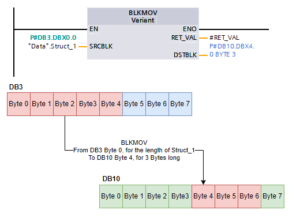
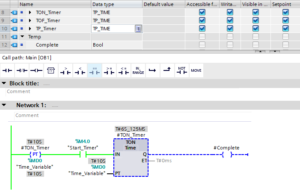
TIA Portal – A Guide To Using Snapshots
Unique Views: 8,098 Using snapshots is a great way to take a backup of the current values in a data block. Snapshots can be used in more than one way,…
TIA Portal – Working With Pointers
Pointers are a handy method to manage vast data sets where symbolic data allocation isn't possible. They're composed of constructs that show where the data starts and its length. TIA…
TIA Portal – Working With Arrays
Unique Views: 14,374 Arrays are an important data type in PLC programming. It’s a method of grouping variables of the same data type in a long list, and accessing each…
PLC Basics – Introduction To Structured Text
Unique Views: 7,853 Looking to get started with Structured Text / Structured Control Logic (ST / SCL)? Here’s an introductory guide to the PLC language that is not restricted to…
TIA Portal – Working With Variants
Unique Views: 8,475 The Variant data type is a special data type that accepts almost anything. Similar to the ANY data type, TIA Portal essentially creates a pointer to the…
TIA Portal – Compiling A Project
Unique Views: 4,507 There will always come a time in a project, where the compiling must be done. This is because you must compile in order to download to a…
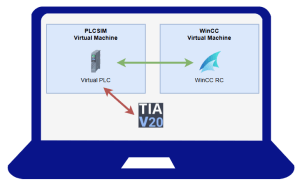
TIA Portal – Simulating a PLC with PLCSIM
Unique Views: 7,230 Projects can never start early enough, and getting hardware early in a projects development is getting harder every day. This is why taking advantage of the Simulation…
TIA Portal – PLC Failed To Start – Using The Diagnostics Buffer
Unique Views: 3,051 Sometimes, you find yourself in a position where (despite no compilation issues) your PLC will just not start correctly. Instead of seeing the above image, with nice…
TIA Portal – Re-Initialization & Safe Downloads
Unique Views: 5,945 Making changes to a project is an everyday aspect of PLC programming, especially during commissioning or fault fixing. When it comes to making changes, the key consideration…
TIA Portal – Going Online & Online Diagnostics
Unique Views: 7,051 As with all PLC environments, being “Online” is an important aspect. The difference between “Online” and “Offline” is that when your connected to a PLC and online,…